
Trace Intercept User Guide
Trace Intercept is a browser-based platform for capturing, viewing, and sharing accurate digital ground truth of underground chambers and related assets.
This guide explains how to use the system once your organisation has access.
It does not cover internal processes designed to include Trace Intercept, internal safety procedures, traffic management, or enterprise IT configuration. Your organisation defines those policies separately.
Your organisation may maintain internal procedures or guidance for using Trace Intercept. Where such procedures exist, they take precedence over this general product guide. Always follow your organisation’s defined processes and policies.
What You Can Do in Trace Intercept
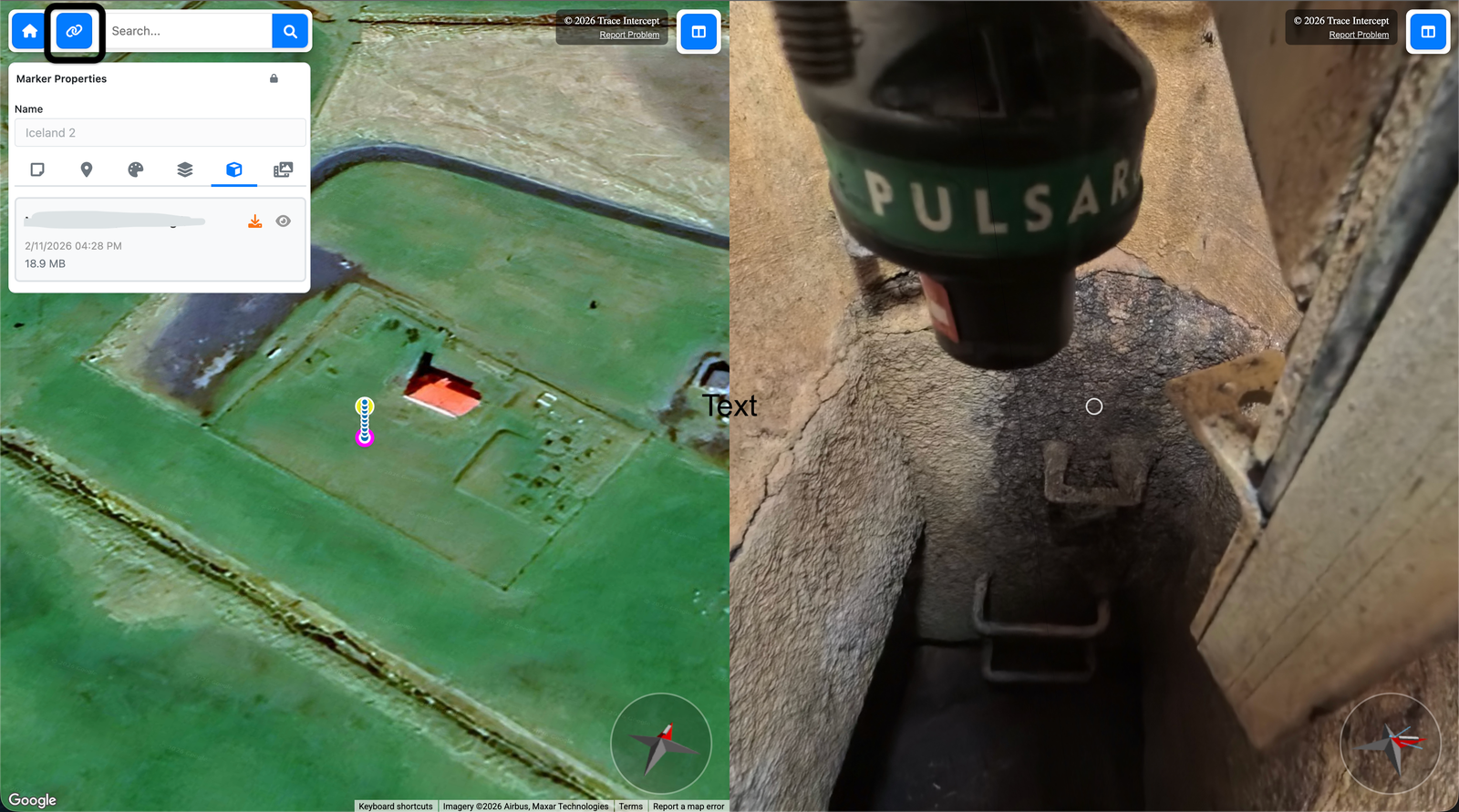
You can:
• Upload chamber and drone imagery and videos captured with the Trace Intercept capture kit
• Review imagery across time
• Share exact views using permalinks
• Run collaborative asset review sessions
• Create notes about defects and things to explore
• Measure and export reconstructions (if enabled)
Everything runs in a standard web browser. No special software is required to view or collaborate.
If you have specific questions, see the Frequently Asked Questions page.
How the Platform Is Structured
Most users interact with Trace Intercept in one of five ways:
Plan
Review existing asset data, prepare work orders, and optimise site visits before crews attend site.
Capture
Create accurate visual records of chambers and associated context.
Inspect
Review imagery, compare time periods, and assess asset condition.
Collaborate
Share precise views with colleagues and external stakeholders using permalinks. Run live review sessions across teams.
Evidence
Create notes and defect records that preserve exact visual context.
Some organisations also use:
Reconstruction & Measurement
An optional module used when dimensional accuracy or CAD export is required, and when called for in internal work orders or procedures.
Additional Support
Supporting guidance to assist organizations to take best advantage of Trace Intercept's reality capture is provided in these sections.
Enablement
Prepare a depot or operational area to begin using Trace Intercept, including kit validation, staff enablement, and initial system setup.
Transformation
Reconsider traditional survey and confined space workflows by introducing structured desk surveys and reality capture as a first step.
Support & SLAs
Learn how to contact Trace Intercept support, expected response times, and service availability standards.
A Typical Workflow
For many assets, the workflow is simple:
- Plan for the site visit.
- Capture imagery
- Upload and structure shot sequences
- Orient imagery correctly if necessary
- Share and review
- Record notes or decisions
Reconstruction and calibration are used only where required.
Multi-Stakeholder Collaboration
A key advantage of Trace Intercept is shared viewing.
Because the platform is browser-based:
• Multiple participants can view the same asset simultaneously
• A permalink preserves map position, zoom, orientation, and image state
• Teams can move from asset to asset in live sessions
• Notes can be added during discussion
This supports joint triage, capital planning discussions, post-incident reviews, and cross-disciplinary asset assessments.
No file transfers. No version confusion. Everyone sees the same view.
See Collaborate for guidance on running structured review sessions.
Optional Reconstruction & Calibration
If the Reconstruction module is enabled for your organisation:
• Reconstructions can be generated for selected chambers
• Calibration is performed when required by internal work orders or standard operating procedures
Reconstruction is not required for standard imagery review.
See Reconstruction for details.
Choose Your Starting Point
If you are rolling Trace Intercept out → Start with Enablement
If you are preparing for a site visit → Start with Plan
If you capture assets → Start with Capture
If you review assets → Start with Inspect
If you run joint sessions → See Collaborate
If you provide formal documentation → See Evidence
If reconstruction is enabled → See Reconstruction
If you are considering process change → See Transformation
If you have questions → See FAQ
Still need help? → See Support & SLAs