
Reconstruction & Measurement
(If Enabled for Your Organisation)
Trace Intercept includes an optional Reconstruction module that enables dimensional analysis and mesh export for selected assets.
Reconstruction is not required for standard visual inspection. It should only be used when specified by internal work orders, engineering requirements, or organisational SOPs.
This section describes how reconstruction and measurement are used within the platform.
Purpose of Reconstruction
Reconstruction converts structured image capture into a measurable 3D model.
It is typically used when:
• Dimensional accuracy is required
• Structural assessment depends on geometry
• Measurements must be validated
• Export to CAD is required
• Internal procedures call for formal measurement
Reconstruction should be applied intentionally, not universally.
Creating a Reconstruction
If enabled for your organisation:
- Upload video and structure the shot sequence as per the capture process
- Confirm imagery is correctly oriented
- Request Reconstruction
- Wait for the two business day service level agreement or notificaiton
- Open the Reconstruction tab
- View the generated 3D model
Reconstruction processing will be subject to a defined service level timeframe.
Not all assets will have reconstructions.
Calibration
Calibration enables accurate measurement within the reconstruction.
Trace Intercept does not define calibration standards. Your organisation defines the appropriate reference dimensions and acceptable tolerances.
Calibration Principles
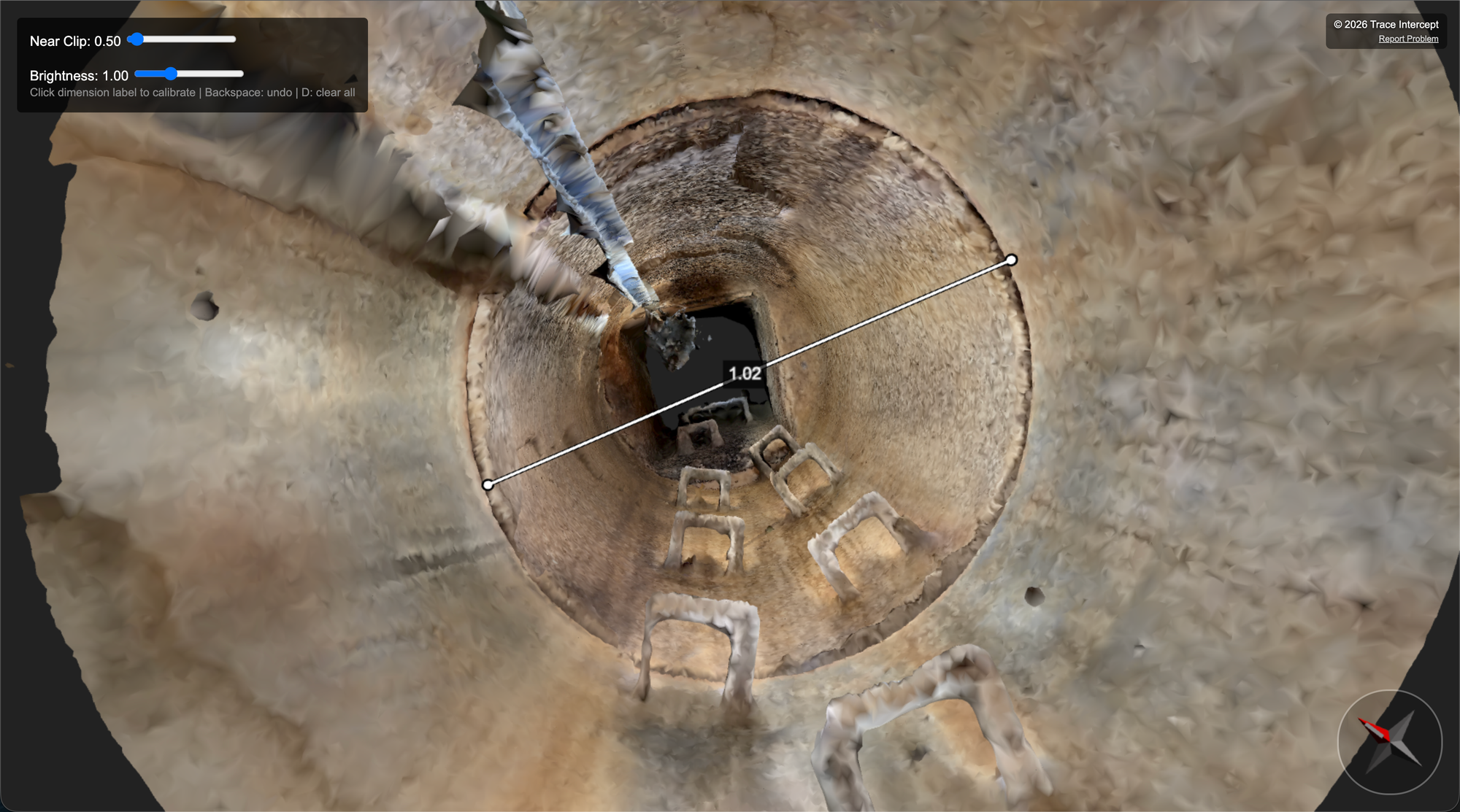
When calibrating a reconstruction:
• Use a known physical dimension from the asset
• Enter that measurement into the digital reconstruction
• Confirm recalculated scale
Where practical:
• Longer calibration measurements reduce proportional error
• Short calibration references amplify proportional error across larger dimensions
If a short calibration reference contains error, that error is multiplied when measuring longer distances.
If a long calibration reference contains error, the proportional impact is reduced.
For this reason, longer reliable measurements are generally preferred.
Leading Practice
Where possible, the same individual should:
• Capture imagery
• Take the physical calibration measurement
• Enter the calibration into the reconstruction
This reduces transcription and interpretation error.
Your organisation may define additional review or validation requirements.
Measuring Within the Reconstruction
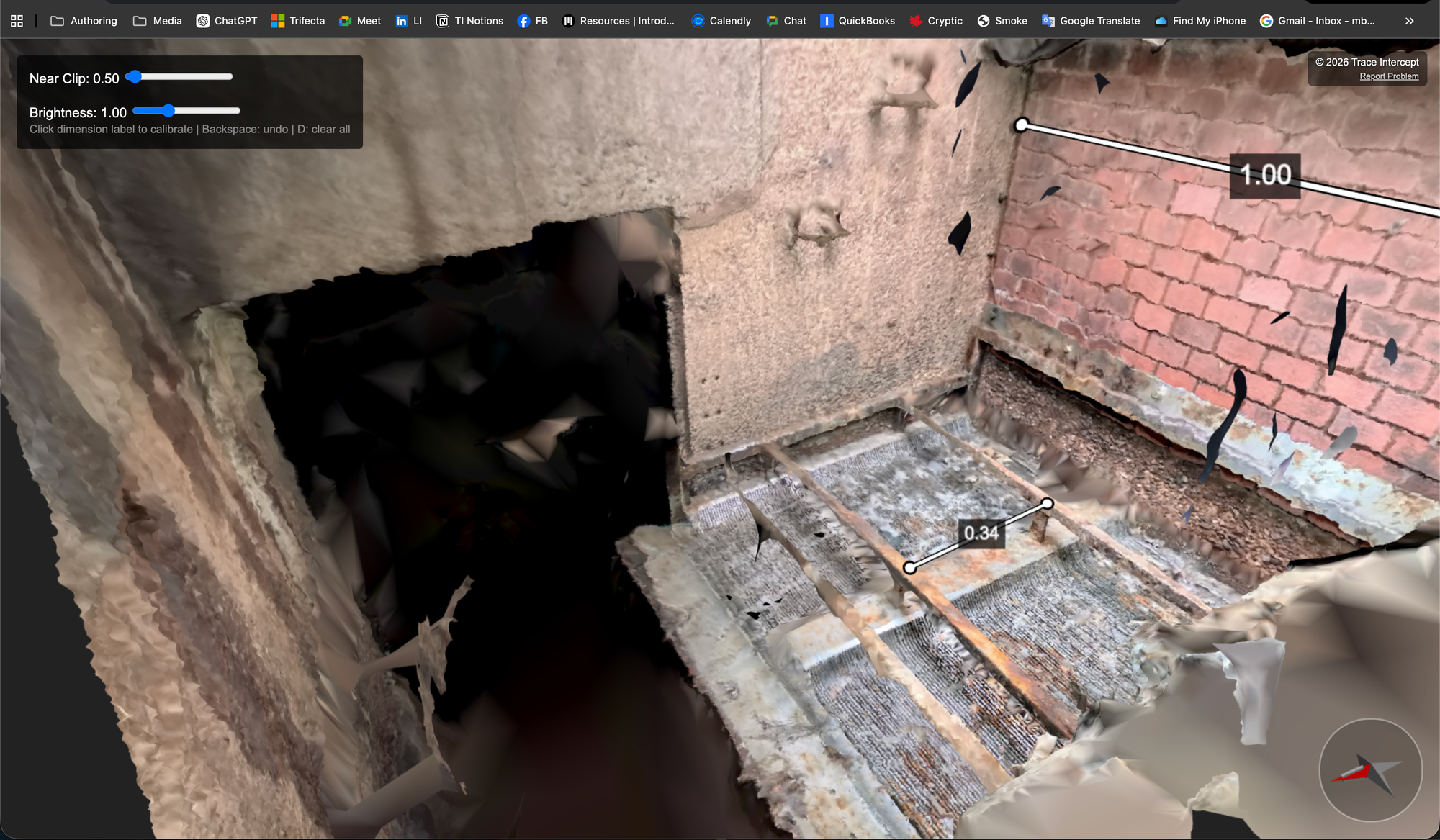
Once calibrated:
• Rotate and zoom to view the model
• Click two points to measure a distance
• View measurement values in the interface
Calibration persists within the reconstruction.
Individual measurement lines do not persist unless separately recorded.
Zoom in an out with the mouse wheel or trackpad equivalent. Click and hold to drag the reconstruction up or down to focus on a specific part of it.
If recalibration is required, internal procedures should define who is authorised to perform it.
Exporting Reconstruction Mesh
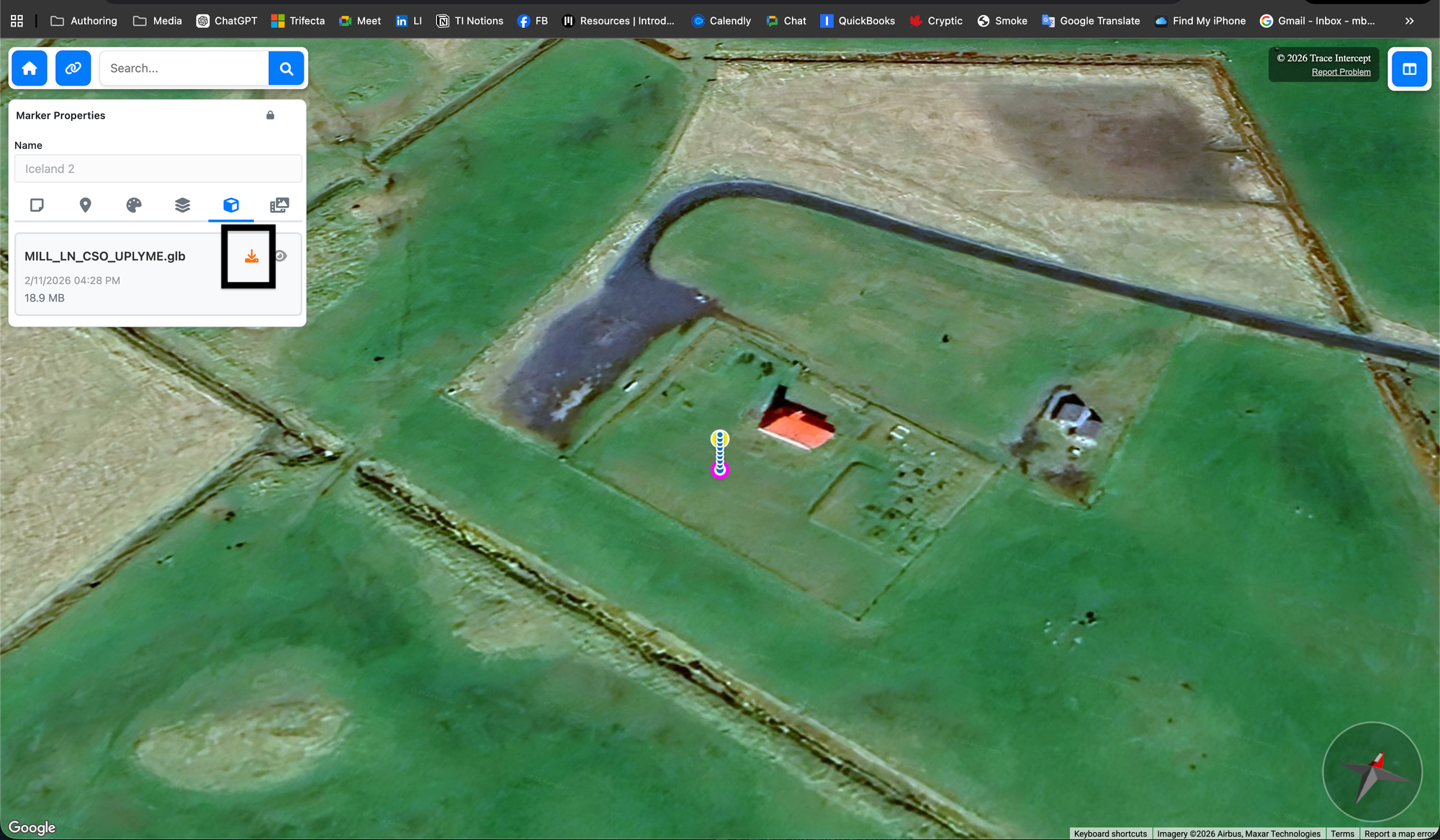
If enabled:
• Mesh files can be downloaded
• Files can be imported into external CAD or modelling tools
• Use is governed by organisational engineering processes
Trace Intercept does not define how exported meshes are used within external systems.
Using Reconstruction in Collaborative Sessions
If reconstruction is enabled:
• The 3D model can be opened during review sessions
• Measurements may be taken live
• Calibration should already be complete if required
Reconstruction is optional within collaborative sessions and is typically used only when geometry is central to the discussion.
When Reconstruction Is Not Required
For many use cases, structured imagery alone is sufficient.
Examples:
• Condition review
• Before and after comparison
• Incident documentation
• Collaborative triage
• Regulatory review
Reconstruction should be used when it adds analytical value.
Summary
Reconstruction and measurement provide advanced analytical capability within Trace Intercept.
Use reconstruction:
• When internal procedures require it
• When dimensional accuracy is necessary
• When geometry informs engineering decisions
Use imagery alone when dimensional precision is not required.
Trace Intercept provides the tools. Your organisation defines when and how they are applied.
Choose Your Starting Point
If you are rolling Trace Intercept out → Start with Enablement
If you are preparing for a site visit → Start with Plan
If you capture assets → Start with Capture
If you review assets → Start with Inspect
If you run joint sessions → See Collaborate
If you provide formal documentation → See Evidence
If reconstruction is enabled → See Reconstruction
If you are considering process change → See Transformation
If you have questions → See FAQ
Still need help? → See Support & SLAs