
Plan
Trace Intercept supports structured planning of asset work before site visits occur.
Planning reduces unnecessary repeat visits, improves crew preparation, and enables clearer coordination between asset managers, capital teams, operations planners, and contractors.
This section describes how Trace Intercept can be used to support planning activities.
Purpose of Planning in Trace Intercept
Planning workflows typically involve:
• Reviewing existing capture data
• Determining whether additional capture is required
• Creating work orders with precise asset references
• Preparing crews before site attendance
• Coordinating geographically clustered work
• Documenting contextual information
Trace Intercept does not replace work management systems. It provides structured visual context to improve planning quality.
Reviewing Available Asset Information
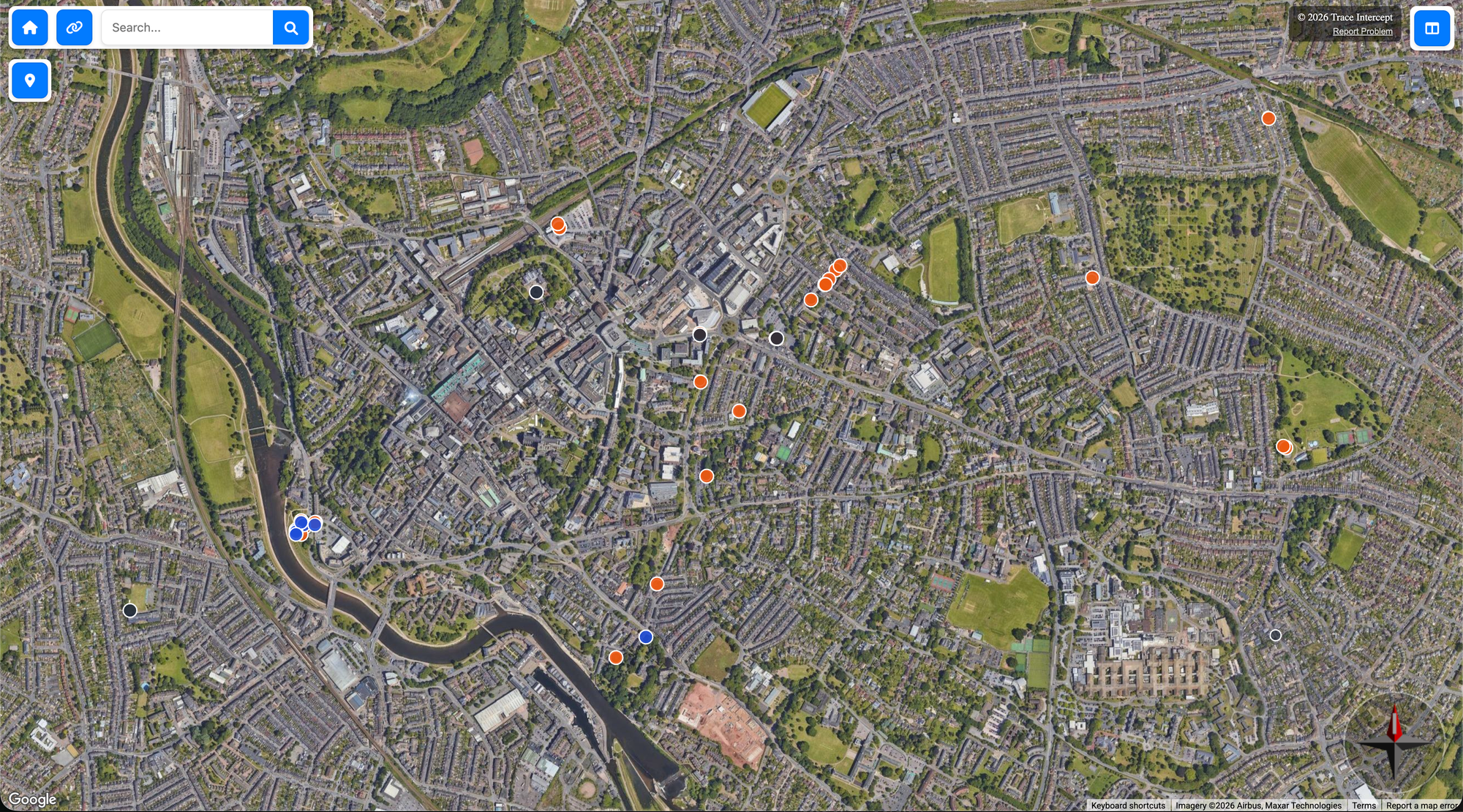
Before issuing work:
- Locate the asset in the map
- Review available shot sequences
- Compare capture dates if available
- Examine inlet, outlet, and structural features
- Review any existing notes or defect records
This helps determine:
• Whether sufficient information already exists
• Whether additional capture is required
• Whether reconstruction is required (if enabled)
Creating Work Orders with Context
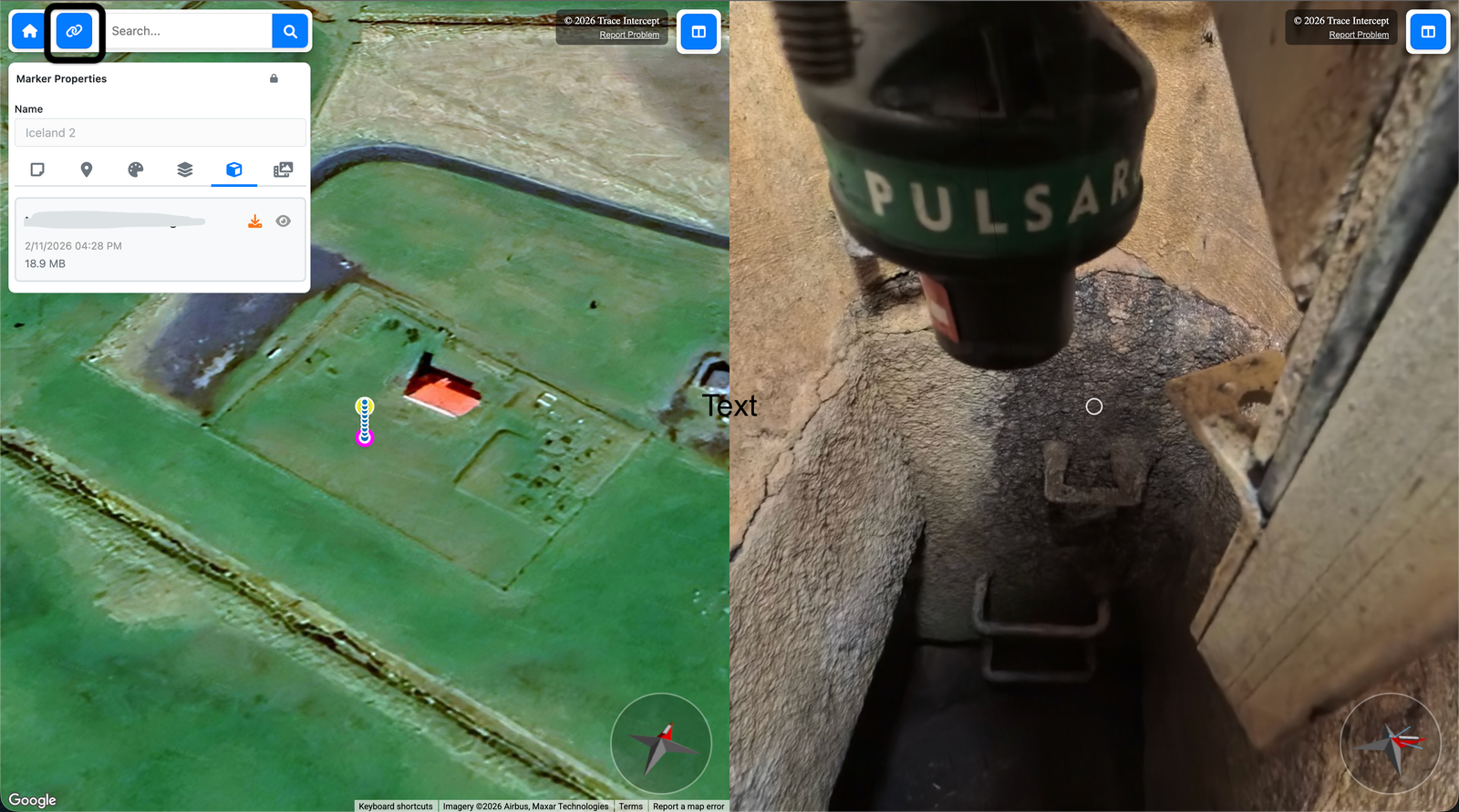
When creating a work order in your organisation’s system:
• Include a permalink to the specific asset and image state
• Reference any associated notes
Planners may also:
• Add a note within Trace Intercept referencing the work order number
• Use notes to highlight specific features of concern
• Document upstream or downstream asset connections
This reduces ambiguity and improves clarity for crews and contractors.
Adding Planning Notes
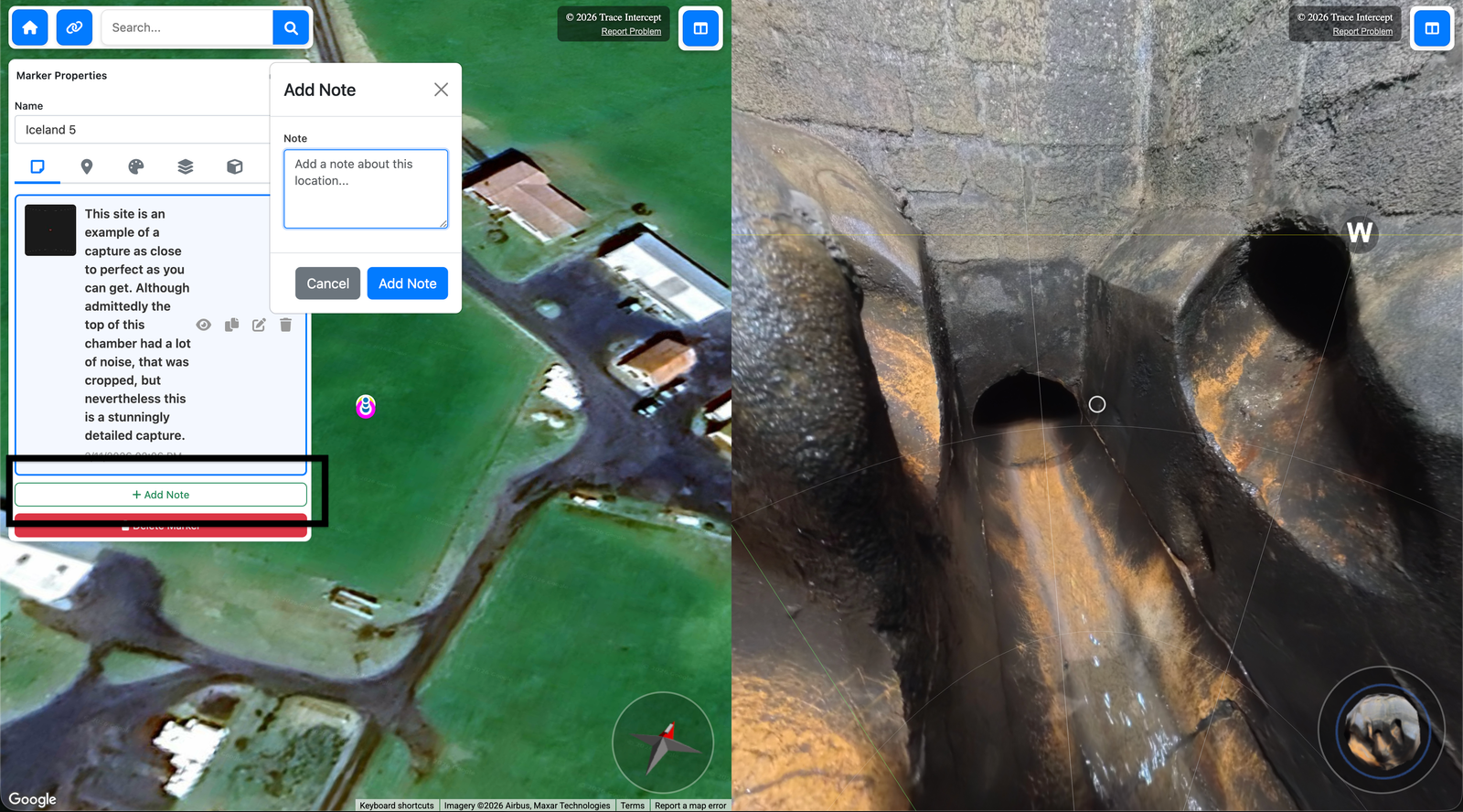
Notes can be used to document:
• Work order references
• Known access constraints
• Specific pipe segments requiring attention
• Connections to upstream or downstream assets
• Observed risks or site considerations
Notes are associated with the visual state of the asset at the time of planning.
Your organisation defines how notes integrate with formal work management systems.
Geolocation and Work Clustering
Operations planners can use the map view to:
• Identify geographically clustered work
• Optimise crew routing
• Group related assets
• Visualise proximity of upstream and downstream infrastructure
This supports more efficient scheduling and reduced travel time.
Reviewing Site Access and Context
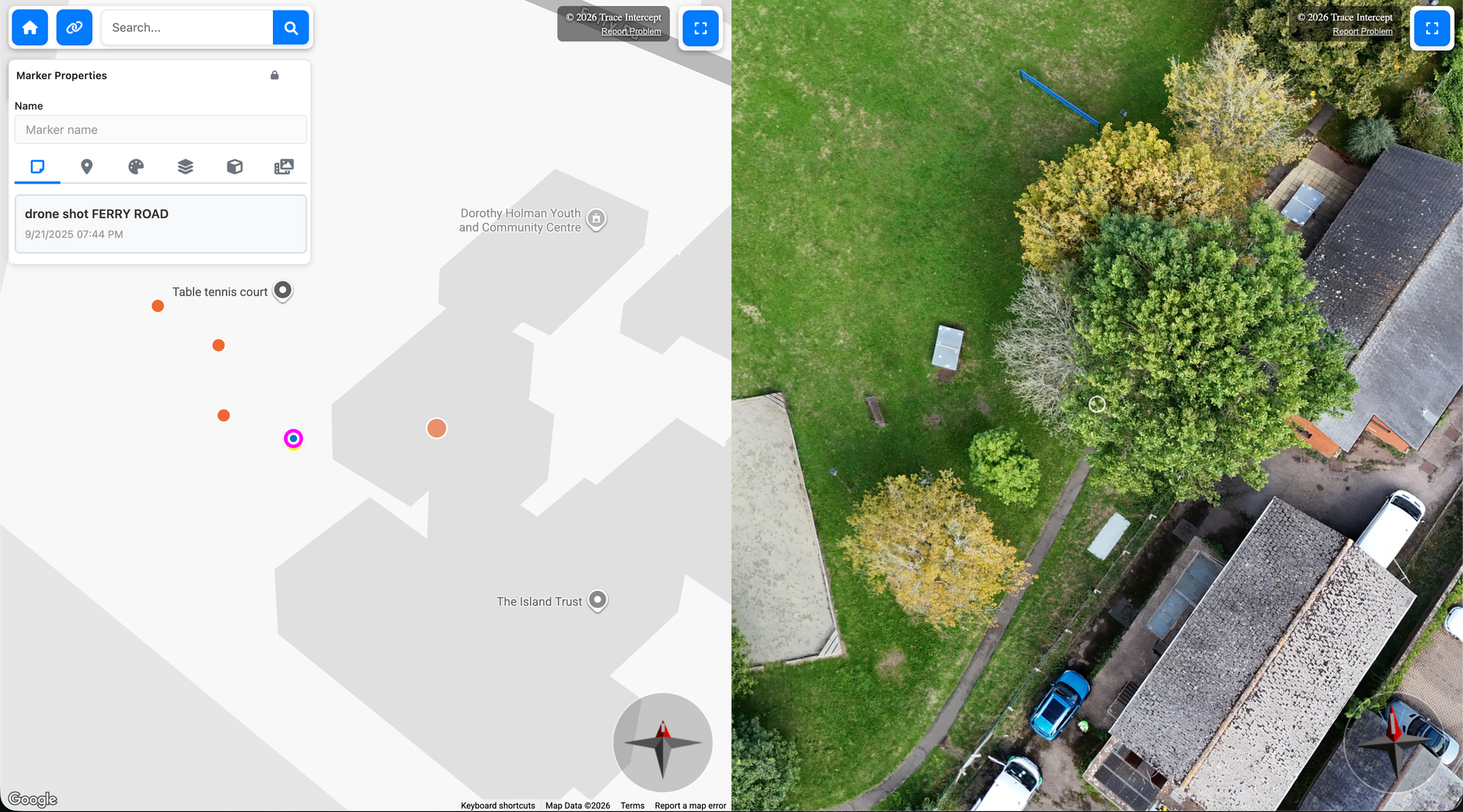
Before scheduling a visit, planners and supervisors can review:
• Overhead map imagery
• Surface-level context
• Drone capture (if available)
• Surrounding access constraints
This may reveal:
• Restricted access
• Private property considerations
• Locked gates
• Tree cover affecting vehicle access
• Potential need for traffic management
• Requirement for off-hours work
Advance awareness improves preparation and reduces wasted site attendance.
Preparing Crews Before Site Visits
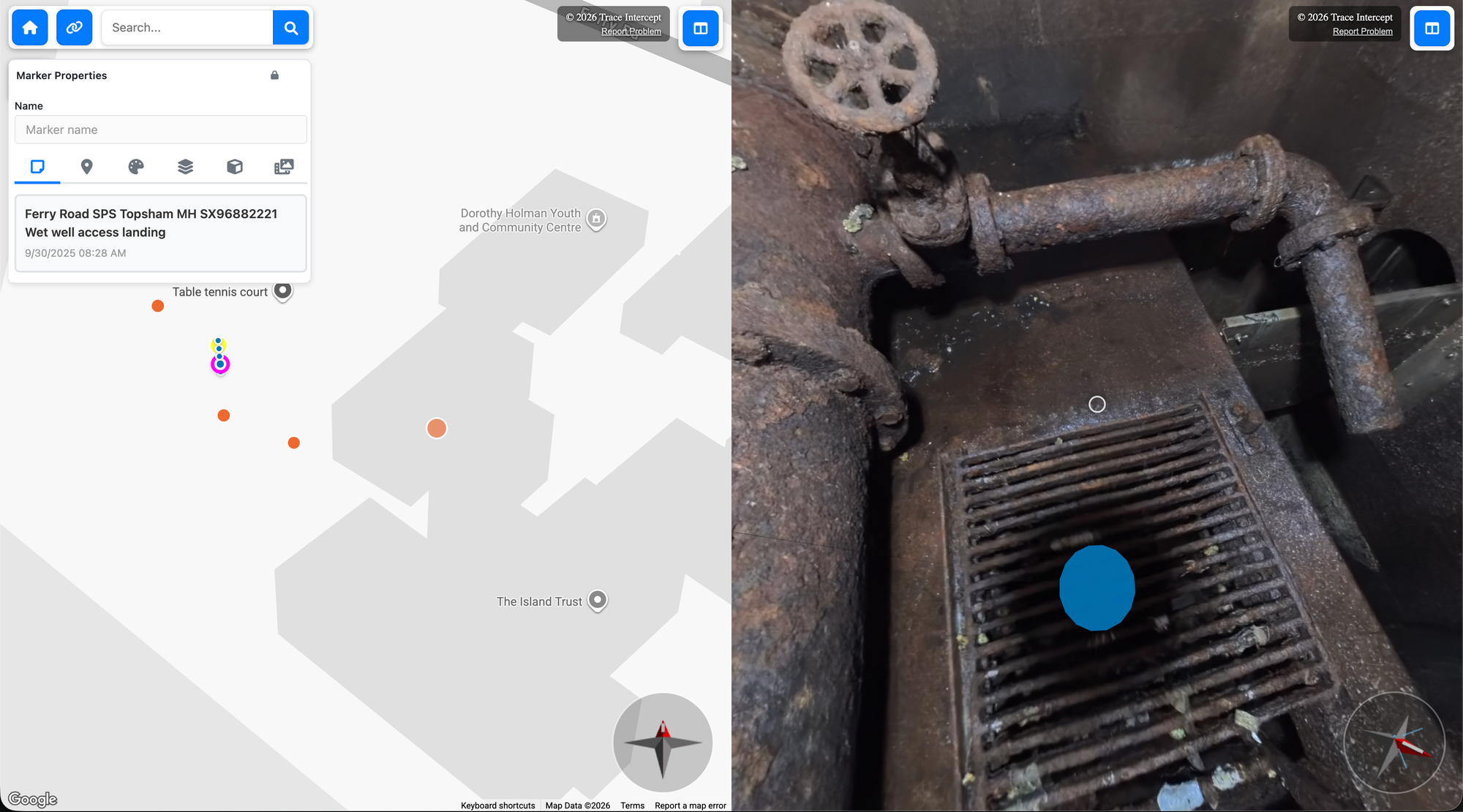
Operations staff can review chambers in advance to:
• Understand internal configuration
• Identify structural features
• Review previous notes
• Confirm likely equipment needs
• Anticipate access constraints
Pre-visit review reduces uncertainty and improves on-site efficiency.
When Additional Capture Is Required
After review, planners may determine:
• No further capture is required
• Additional imagery is required
• Reconstruction is required (if enabled and specified by internal procedures)
If new capture is needed, reference the asset clearly in the work order.
See Capture for guidance on performing additional capture.
Planning Leading Practices
For effective planning:
• Use permalinks in work orders
• Add contextual notes before issuing work
• Review both internal imagery and surface context
• Confirm asset identity before scheduling
• Consider upstream and downstream relationships
Your organisation may define additional planning or approval processes.
Next Steps
After planning:
• Issue work orders through your internal systems
• Share permalinks with assigned crews or contractors
• Review asset context during pre-task briefings
Trace Intercept supports informed planning. Your organisation defines how planning decisions are formally authorised and executed.
Choose Your Starting Point
If you are rolling Trace Intercept out → Start with Enablement
If you are preparing for a site visit → Start with Plan
If you capture assets → Start with Capture
If you review assets → Start with Inspect
If you run joint sessions → See Collaborate
If you provide formal documentation → See Evidence
If reconstruction is enabled → See Reconstruction
If you are considering process change → See Transformation
If you have questions → See FAQ
Still need help? → See Support & SLAs