
Enablement
This guide describes the recommended steps for enabling an operational area to begin using Trace Intercept.
The guidance below reflects common leading practices for organisational rollout. Your organisation will define specific procedures, approval requirements, or documentation standards.
This page is intended as a generic framework and is expected to be adapted into internal rollout documentation.
Purpose of Area Preparation
Area preparation ensures that:
• Capture kits are validated and operational
• Staff are identified and trained
• Users have system access
• Required software is installed
• Drone compliance requirements are met
• Devices can transfer imagery
• Operational workflows are aligned
Completing preparation in advance reduces delays and improves adoption quality.
Capture Kit Receipt and Validation
When an operational area is enabled, Trace Intercept capture kits will be delivered to the designated depot.
A typical kit includes:
• Collapsible tripod
• Descent cord
• Insta360 camera
• DJI drone
• Rechargeable light array
• Spare batteries
• Chargers
Upon receipt:
- Validate contents against your organisation’s manifest
- Confirm all devices power on
- Charge all batteries
- Inspect components for damage
Any internal process for tracking, signing out, or storing kits is defined by your organisation.
Identifying Staff for Enablement
The area manager should identify which staff will receive Trace Intercept training.
Leading practice is to enable all operational staff who are authorised to access chambers, so that reality capture can occur during any site visit.
This ensures:
• Corporate information remains current
• Downstream planners have accurate data
• Subsequent site visits are better informed
The scope of enablement is an organisational decision.
User Access to Trace Intercept
Each operational user should:
- Be added as a Trace Intercept user by IT
- Receive access confirmation and the organisation-specific SaaS URL
- Log in and test access
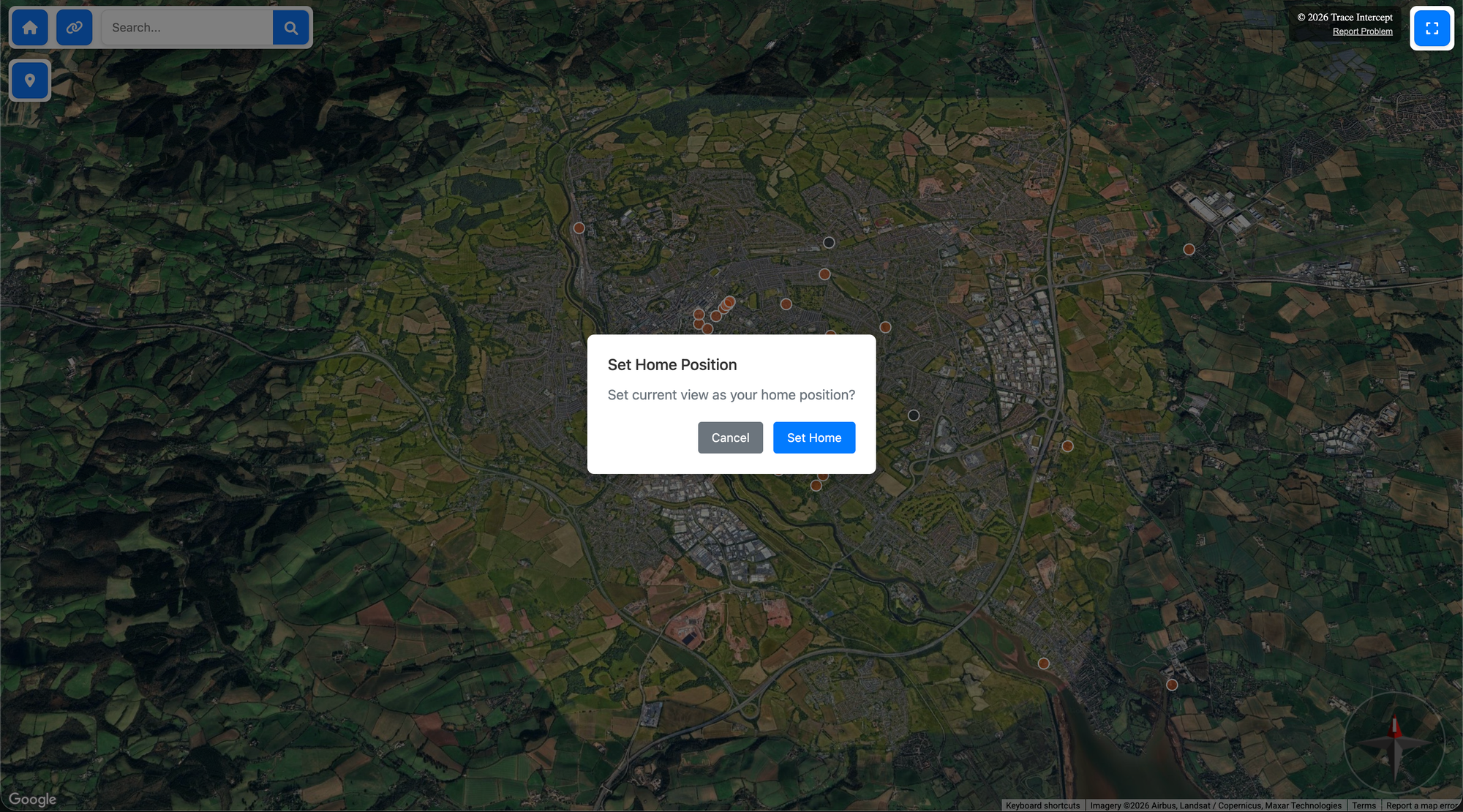
Upon first login:
• Zoom and pan to your primary working area
• Click and hold the Home button
• Set your default home map location in the upper left corner of the map view
This improves navigation efficiency.
Device Software Setup
Operational capture staff must install required device software for camera control.
For the Insta360 device:
• Install the required camera control application on the designated work device
• Follow organisational IT procedures for software approval
Trace Intercept does not define device management policy. Your organisation defines software installation and approval processes.
Drone Registration and Licensing
If drone capture is part of your organisation’s rollout:
• The organisation must be registered as a drone operator in accordance with applicable aviation regulations
• Individual operators must complete required online training and licensing
• Licensing applies to drones registered to the organisation
Drone compliance requirements vary by jurisdiction. In the UK, this is under the Civil Aviation Authority (CAA). Ensure alignment with applicable aviation authority guidance.
Trace Intercept does not provide drone licensing.
Image Transfer and Device Connectivity
Before operational use, confirm that imagery can be transferred from:
• Insta360 device
• DJI drone
To the designated upload laptop or workstation.
This involves:
• Connecting via USB cable
• Confirming device recognition
• Confirming file transfer capability
Organisational IT policies or mobile device management (MDM) settings may affect connectivity. Testing should occur prior to live deployment.
Training Requirements
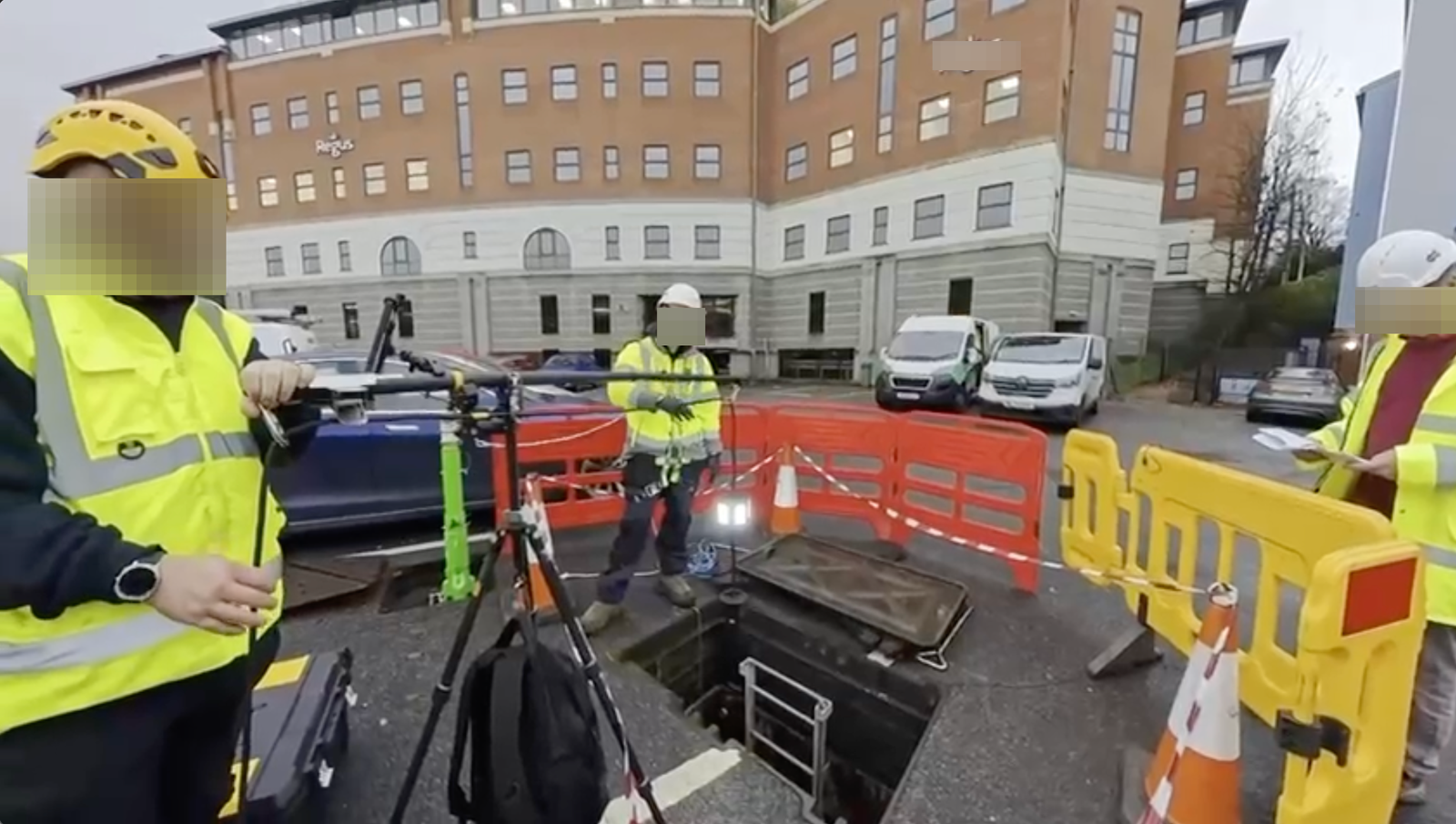
Operational staff should receive training covering:
• Planning asset visits with Trace Intercept
• Using the tripod capture rig
• Operating the Insta360 camera and light
• Conducting safe drone capture
• Uploading imagery and video
• Structuring shot sequences
• Orienting imagery correctly
Training ensures consistent capture quality and reduces rework.
Your organisation may define formal training certification or competency validation requirements.
Readiness Checklist
An area is considered ready when:
• Capture kits are validated and charged
• Staff are identified and trained
• Users have confirmed system access
• Required software is installed
• Drone compliance is complete (if applicable)
• Image transfer has been tested
• Staff understand capture and orientation workflows
Once ready, operational capture may begin.
Choose Your Starting Point
If you are rolling Trace Intercept out → Start with Enablement
If you are preparing for a site visit → Start with Plan
If you capture assets → Start with Capture
If you review assets → Start with Inspect
If you run joint sessions → See Collaborate
If you provide formal documentation → See Evidence
If reconstruction is enabled → See Reconstruction
If you are considering process change → See Transformation
If you have questions → See FAQ
Still need help? → See Support & SLAs